EZ Battery Reconditioning Program
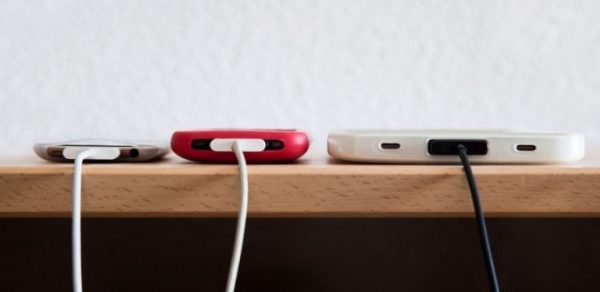
Every cell phone, laptop, and tablet seem to come with their own charger. If you’re like me, you’ve probably compiled quite a few chargers over the years. So the question becomes: is it safe to use a charger with your phone, laptop, camera, or tablet that isn’t the original manufacturer’s charger that came with the device?
Types of Chargers
In this article, we will focus on three types of chargers: laptop chargers, micro USB chargers (these are used with phones, tablets, and cameras), and Apple Lightning Connectors. While some devices have chargers with a slightly different head or charging cable, these are the most common.
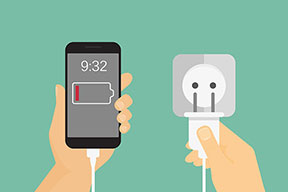 Laptop chargers are fairly specific to the device they come with. However, there may be some generic chargers that boast the ability to be interchanged between laptops. This always requires changing of the charger “head” and may not be the optimal charging amperage or voltage for your device.
Micro USBs are theoretically designed to be interchangeable, and are standard in most smartphones, Android devices, and tablets. Micro USB chargers typically have the same voltage, but may draw different amps. I’ll explain this further later and how to know if the charger is safe to use (depending on its listed amps and voltage).
Apple Lightning Connectors are standard on all new Apple devices, including iPads and iPods. For older devices with a 30-pin charge port, a connector can be used to charge with the Lightning Connector.
The Plugs Must Be The Same
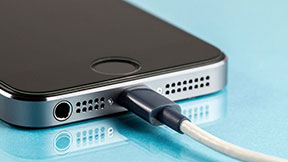 In order for a charger to be used on a different device, it’s important that the plug of the charger (the “head”) fit securely into the charging port of the device. Micro USBs are the same across the board as far as charging heads, while laptop chargers are often specific to both make and model. However, the plug fitting securely is only one part of the equation.
How Voltage and Amperage Matter
Somewhere on the power brick of the charger you will find a label with the charger’s voltage (V) and amperage (A). For laptop chargers, this charging brick is often halfway down the charger and typically looks exactly like it sounds – a brick. For other types of chargers, like a smartphone charger, this information is usually found at the base of the charger, where it would meet the wall. For the device you are trying to charge, the voltage and amperage required will be found on the battery that came with the device or on the manufacturer’s website.
 Voltage is how much power the charger will draw into the device, or how much is being “pushed” into the device by the charger. A phone will usually pull up to around 5V, while a laptop can pull up to 25V. A charger must equal the voltage required by the device. This is important: drawing too high a voltage could short out the device and potentially even start a fire, while too low a voltage will fail to charge the battery.
Amperage is how quickly power is “pulled” into the device, or how much power is used by the device. The amount of volts will never change, but the amount of amps that the device pulls may change depending on how hard the device is working. The number that you find on the battery that came with your device will be the max amount of amps that can be pulled by the device. The number found on the charger is how many amps can be pulled at once. In order to exchange chargers, the amp number on the charger must equal or exceed the amp number listed on the device’s battery. If a device is paired with a charger that cannot support the amp requirement, it can burn out the power supply and kill the device.
So if you have a modern USB device (smart phone, tablet, or camera) you can plug into a high-amperage USB port and enjoy faster charging (as long as the voltage is equal). *Site Note: if you have an older device, it may not work with USB ports that employ the new Battery Charging Specification.
If The Micro USB Charger’s Voltage Is Not 5v…
Some devices may have their voltage listed with a plus/minus on it like this: 5v +- 5%. If this is the case, you can use a charger rated at 4.75 to 5.25v because that rating is telling you is that the device can take 5v minus 5% of 5v = 4.75 volts OR 5v plus 5% of 5v = 5.25 volts. So this means anything between 4.75 t0 5.25v is safe to use (as long as the amperage of the charger is equal to or higher than the device’s listed amperage).
An interesting thing to note is all chargers supply a higher voltage than the batteries they charge. That is pretty much how they work. There has to be a voltage differential to produce the necessary current flow in the correct direction to charge the battery. If you look at your car, it has a 12V battery, but typical alternators provide 13.8 to 14.4V charging voltage to the battery.
Stay Away From Cheap Knockoff Chargers
 The problem with knockoffs, particularly cheap knockoffs, is that they often don’t support the power requirements of the device, or are not built to maintain a steady flow safely. This can cause damage to the device but can also pose a safety/fire hazard. Overall, it’s best to stick with the charger designed for the device you are using.
Now You Know How To Safely & Effectively Swap Chargers
I hope this article was able to help you. Now you know how to safely and effectively use a charger that did not come with your smart phone, laptop, camera, tablet, or other device. Make sure you follow what we said and you should be good to go!
But what happens if you battery ages and isn’t performing well anymore? Well, you have to use other methods and actually recondition it! And that’s what we show you how to do in the EZ Battery Reconditioning program. So if your phone, laptop, car, truck …or any other type of battery is aging or dead, check out this video to learn how you can easily reconditioning your batteries yourself… at home!


 The check engine light is always a good indication of something off with your vehicle. The battery power being weak will trip the check engine light. If your check engine light is on, be sure to check the battery power level.
 If you’re having to jump your battery to get your car started more than three times a week, it’s time to replace the battery or
 Reply
Reply


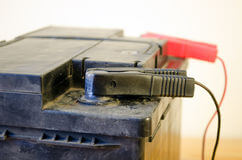 Sulfation
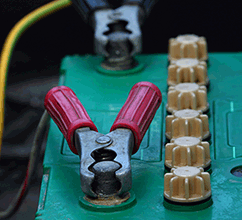 The easiest way to apply an equalizing charge to a lead-acid battery is to use a
 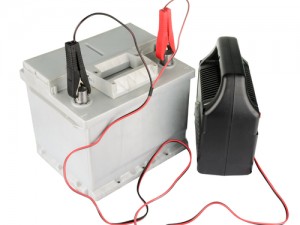 Step 6


5 Comments